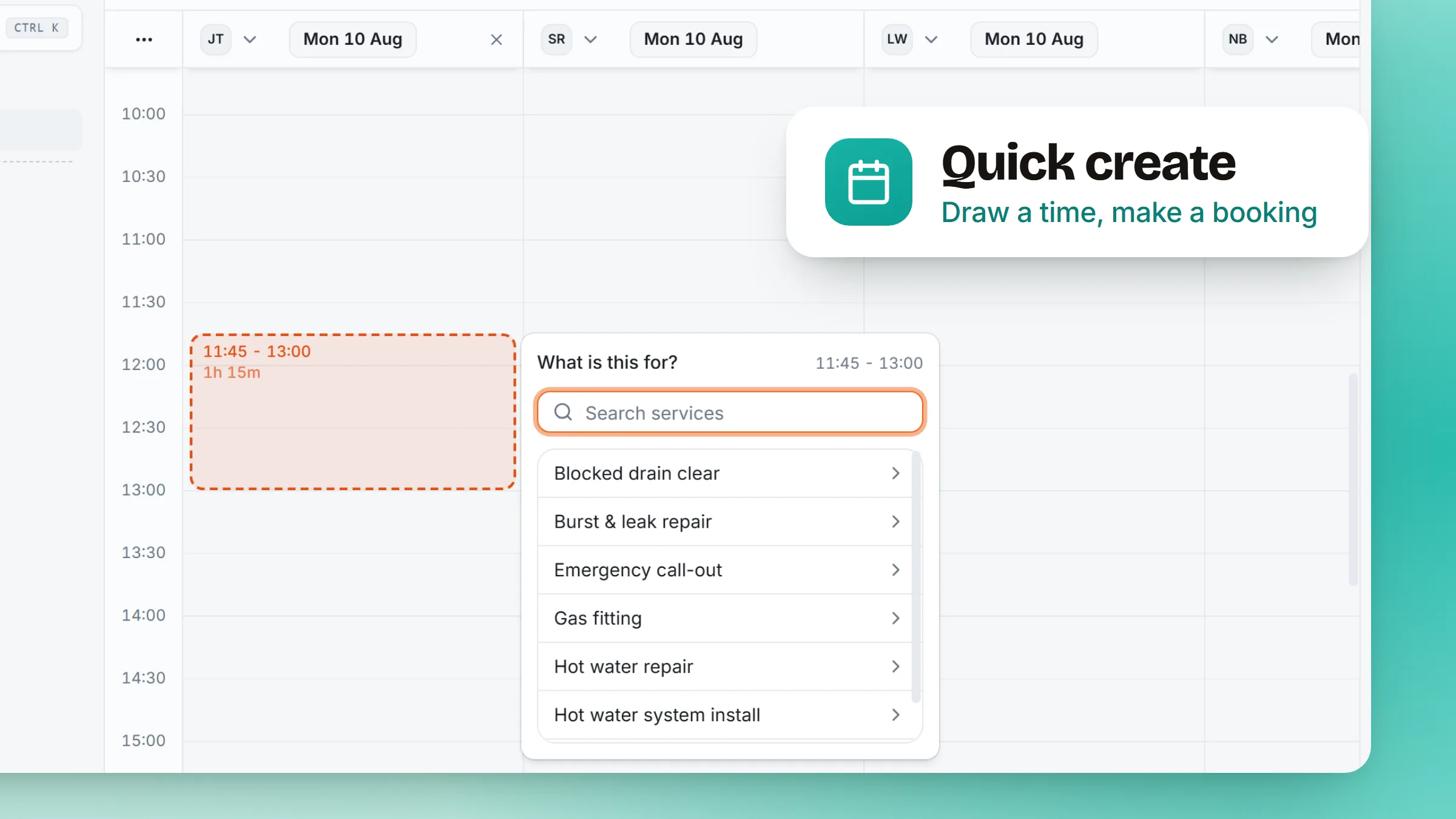
Until now, putting something on the calendar meant leaving the calendar. You could see the gap on Thursday afternoon, but you still had to open a form and describe it in words. Now you draw it.
- Press and drag on the time you want. Hold on a column and pull down. A block grows out of the press and follows you, snapping to the grid so it lands on a real time rather than a near one.
- A small panel on the block you drew. It opens attached to the block, not in the middle of the screen, and asks only what it needs to turn that span into a booking or a sitting for a class.
- The time you drew is the time you get. The span is fixed once you let go, and it is written on your business's clock rather than the clock of whatever device you happened to be on.
- Both boards, the same gesture. It works on the calendar and on the team board, so it does not matter which view you were looking at when you spotted the gap.
- Time you are not available is hatched. Outside hours and around anything already booked, the background is struck through, so you can see where there is actually room before you start drawing. Turn it off from either board if you would rather see a clean grid.